Load the data
You have a Turtle file with your generated knowledge graph data. Before loading it, there’s an important point to understand.
Why you need to load both ontology and data
When you load documents through TrustGraph’s normal extraction pipeline, the ontology is used during extraction to guide what knowledge gets pulled out — and the ontology metadata is stored alongside the extracted data automatically.
Because we’re loading raw Turtle data directly, we’re bypassing that extraction step. The knowledge graph won’t have the ontology metadata unless we load it separately. So we need to load both the ontology and the data into the knowledge graph.
Load the ontology
tg-load-knowledge -i urn:doc:onboarding-ontology onboarding.ttl
Load the data
tg-load-knowledge -i urn:doc:onboarding-data onboarding-data.ttl
The -i flag sets a document ID — this needs to be an IRI. A simple urn:doc: prefix works fine here.
tg-load-knowledge doesn’t just load triples into the knowledge graph — it also arranges for graph embeddings to be computed and stored in the vector store. This means graph nodes can be discovered via semantic similarity search, which is how Graph RAG finds relevant starting points when answering questions.
Explore the knowledge graph
In the UI, go to the Workflows page and select Graph Explorer. You should see the office structure: people, teams, services, approval chains — all connected according to the ontology.
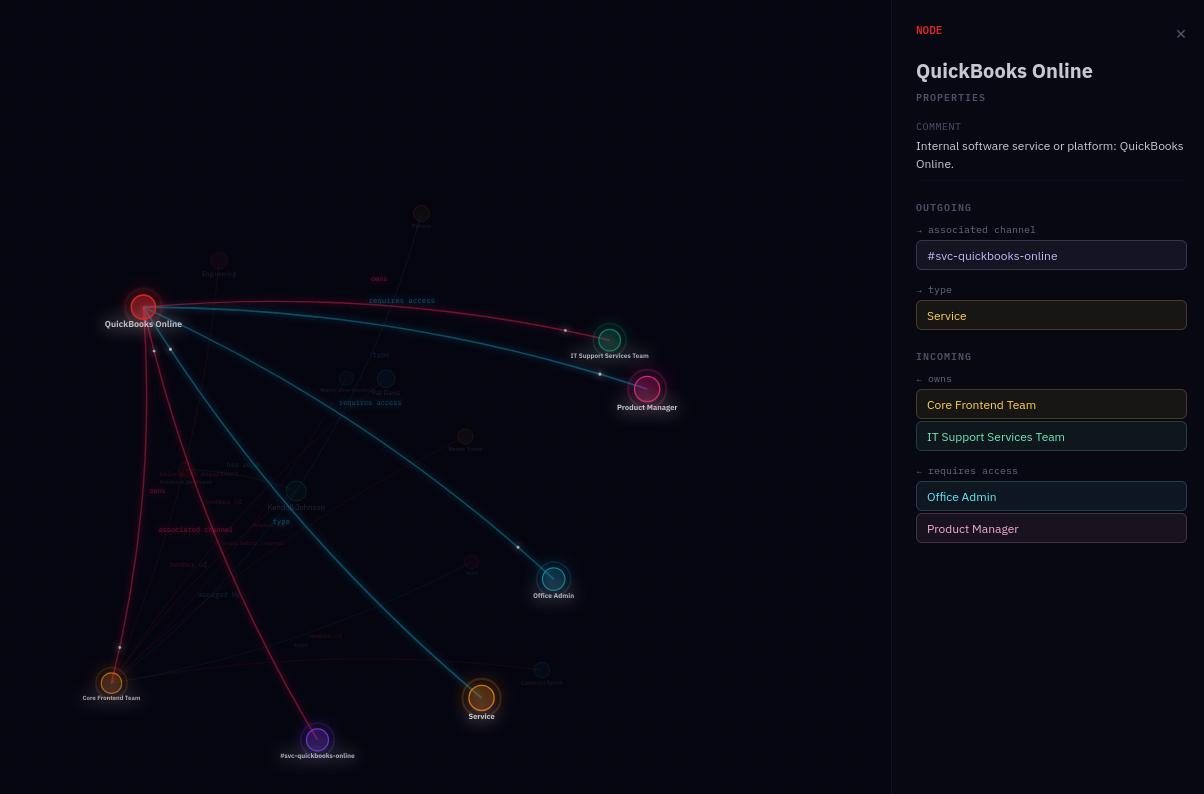
Click through the nodes and relationships to verify the data looks right. Try the Search to find specific entities — search for a service name or a person and check their connections.
Next
Run queries — generate documentation and test the data with SPARQL.