Working with non-English languages
Context graphs are language-sensitive, and can easily be built in any language, provided that you have access to an LLM which is proficient in your preferred language
Intermediate
30 min
- TrustGraph deployed (Installation Guide)
- Understanding of Core Concepts
- An LLM with proficiency in your target language
Build a context graph from non-English documents and query it in your preferred language.
TrustGraph uses an LLM to extract knowledge and build context graphs from your documents. To work in a non-English language, you simply need a model that is proficient in your preferred language. Most modern LLMs support multiple languages, so building a context graph in French, German, Japanese or any other widely-used language is straightforward.
Step-by-Step Guide
Step 1: Verify your model supports the target language
Before processing documents, confirm that your chosen LLM has strong capabilities in your target language.
For simpler workflows where your source documents are already in the target language, the model only needs to understand and generate text in that language. For more complex scenarios—such as ingesting documents in multiple languages or translating content into a single target language—you’ll need a model with strong multilingual and translation capabilities.
Models with good multilingual support include:
- Claude (Anthropic) - Strong performance across many languages
- Gemini (Google) - Extensive multilingual training
- Llama 3 (Meta) - Good support for major world languages
- Mistral - Strong European language support
- Qwen (Alibaba) - Particularly strong for Chinese and Asian languages
Check your model’s documentation for specific language capabilities and limitations.
Step 2: Locate the graph extraction prompts
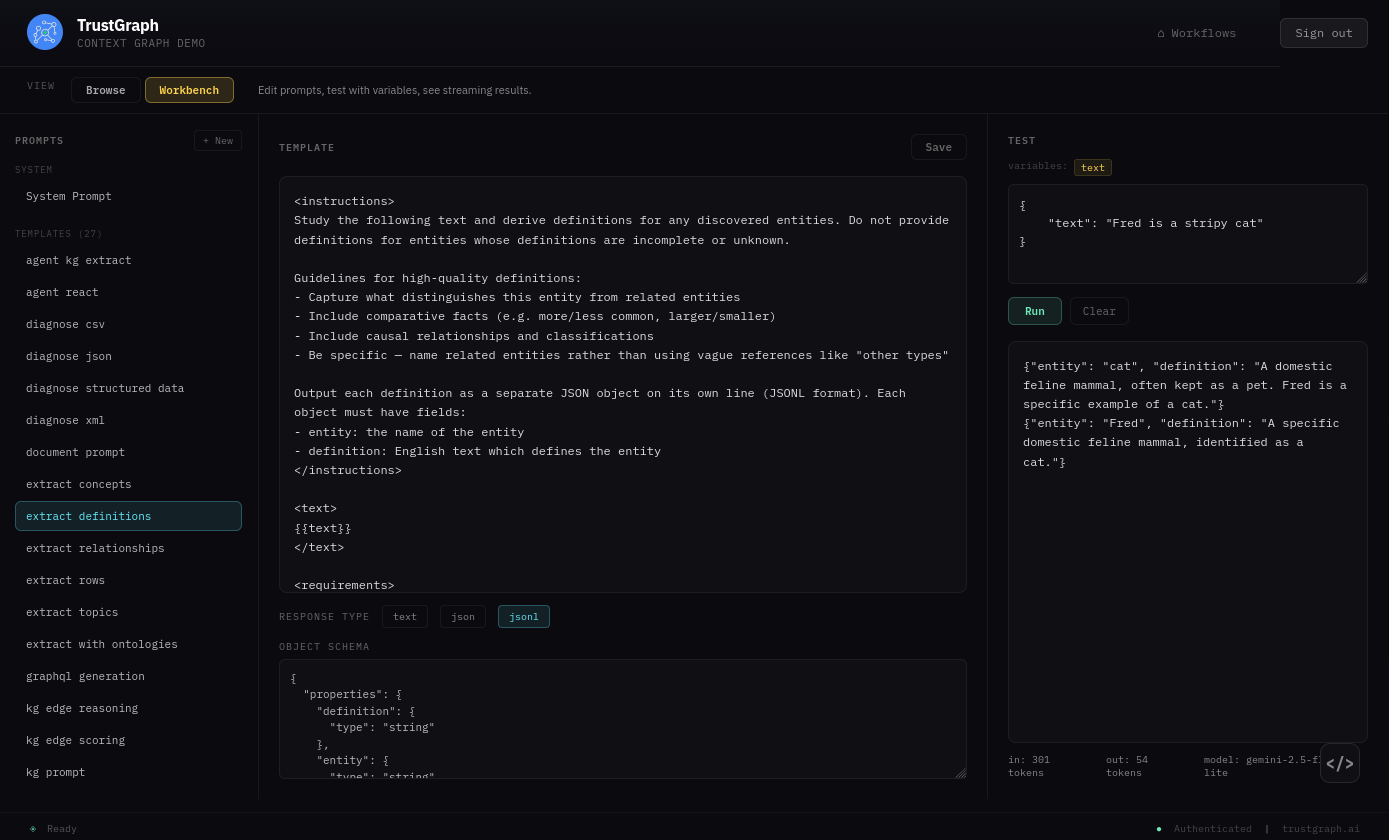
The prompts used during knowledge extraction control the language of the output graph. From the Workflows page, select Prompt Management and switch to the Workbench view.
Find these two prompts which are used to build context graphs:
- extract-definitions - Extracts entity definitions from text
- extract-relationships - Extracts relationships between entities
Click on extract-definitions to open it in the editor. You can test the prompt using the Test panel on the right — enter a value for the text variable and click Run to see the output.
Step 3: Modify the prompts for your target language
We’ve found that adding instructions to output in a specific language works well. The easiest approach is to use an AI chatbot to help edit the prompts:
- Copy the prompt text
-
Paste it into your preferred AI chatbot with a request like:
Can you look at this prompt and change it so that it emits Japanese language? Anything non-Japanese should be translated.
- Paste the modified prompt back into the prompt editor
- Click Save
- Click Run to verify the output is now in your target language
- Repeat for the extract-relationships prompt
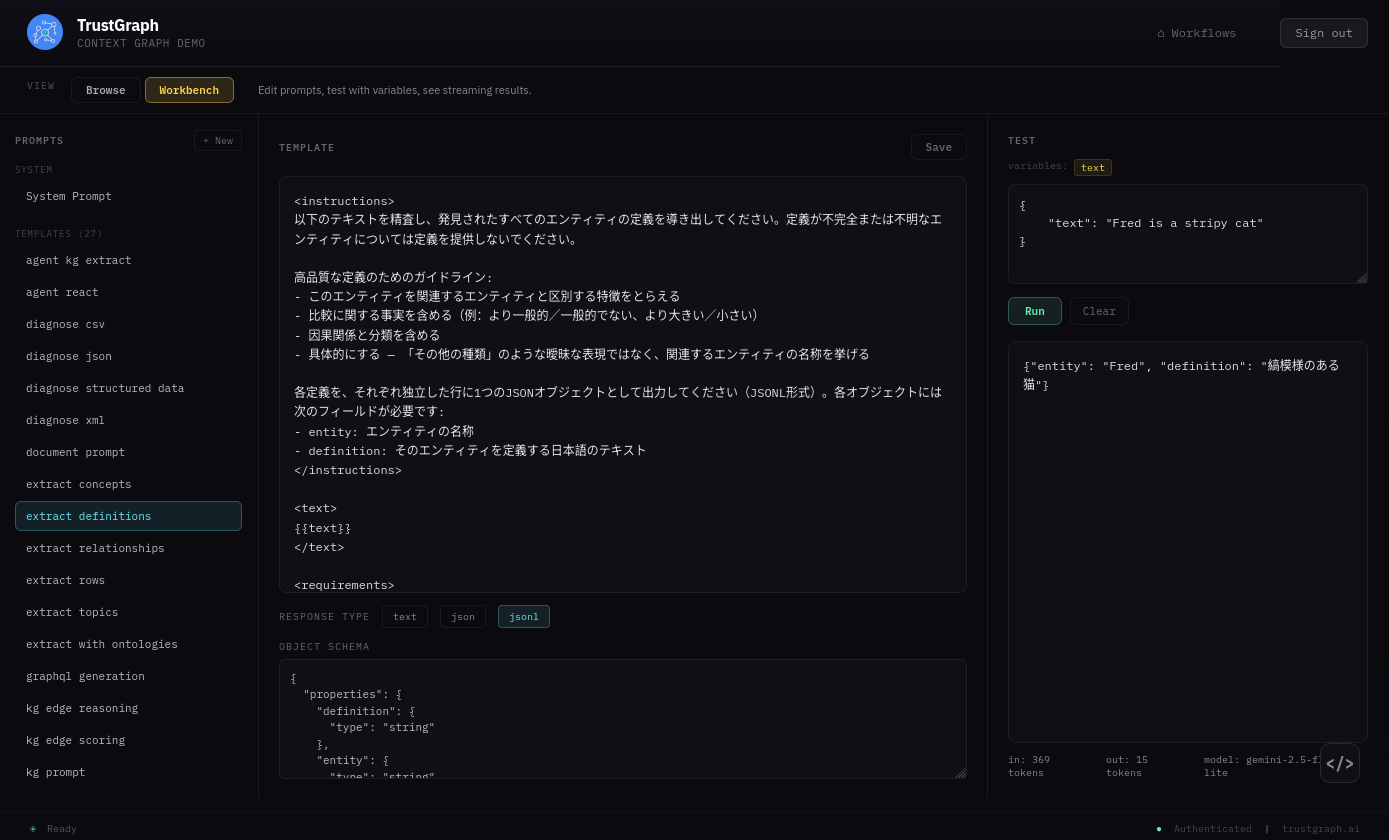
This approach ensures that all extracted entities, definitions, and relationships are in your target language, even if the source documents contain mixed-language content.
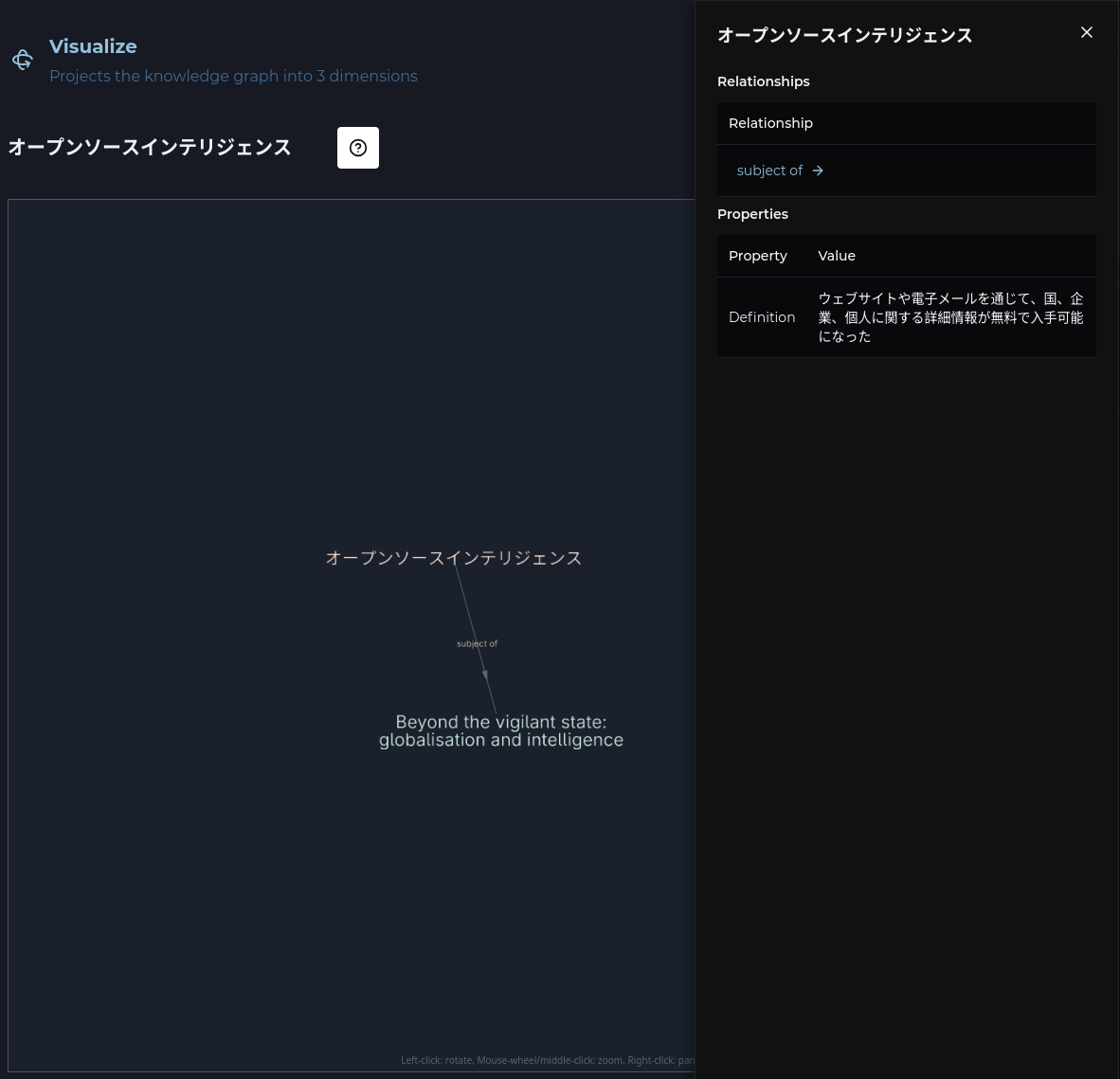
Now when you load a document through a graph-building process, the graph will be built in your preferred language.
The Graph Explorer will show entities and relationships in your target language:
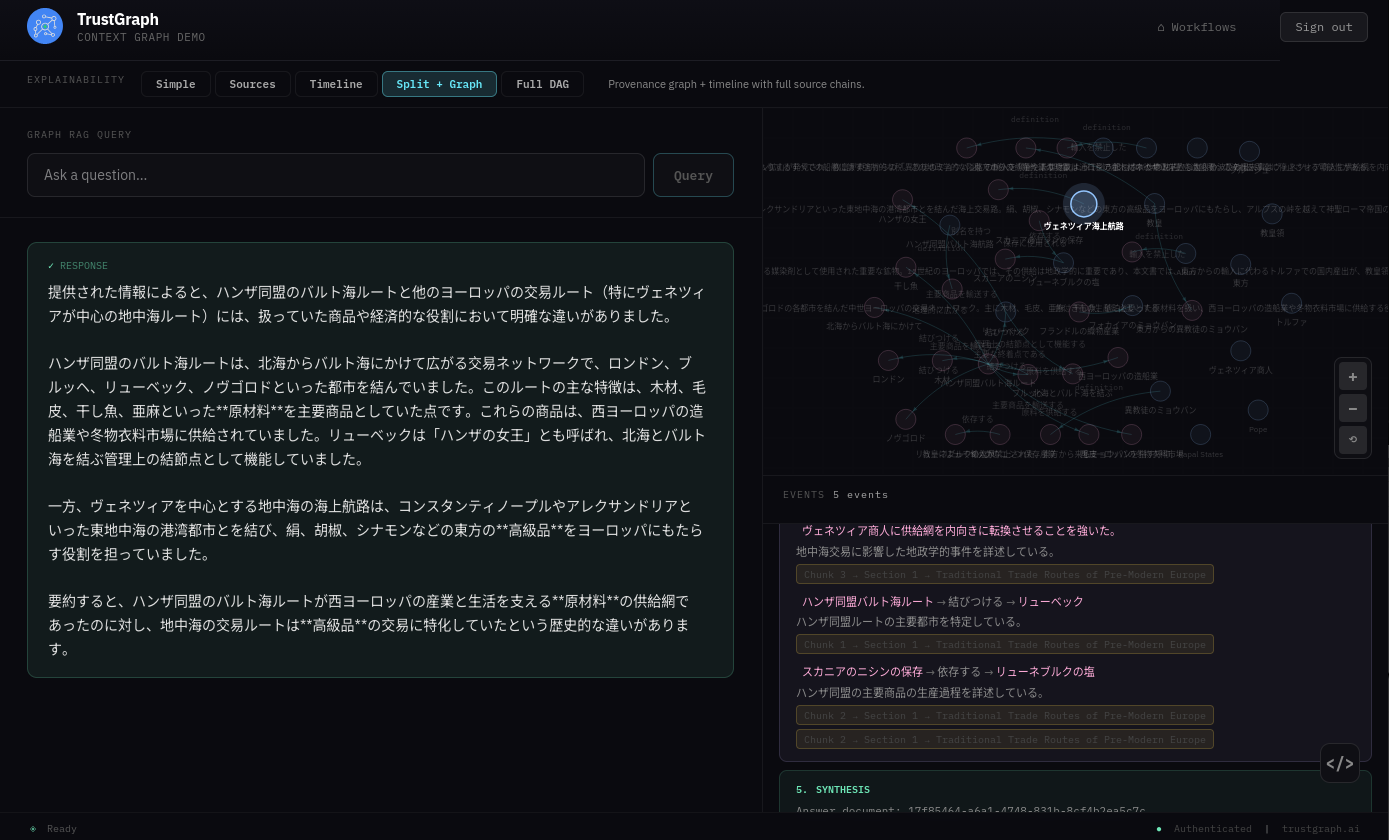
Graph RAG queries and responses also work in your target language:
Note on embeddings
Language performance is somewhat affected by the chosen embeddings model. If you find that retrieval is not performing well, try different embeddings models—some have better multilingual support than others.